A job search comes with a long list of small tasks: reading posts, tailoring resumes, tracking applications, preparing for interviews, and following up. New AI tools promise to help with all of it, and it is hard to know which ones are worth your time.
This guide covers the best AI tools for job seekers by type, so you know what each kind does before you try anything. You also get five prompts for common job search tasks, a checklist for choosing a tool, and the mistakes to avoid.
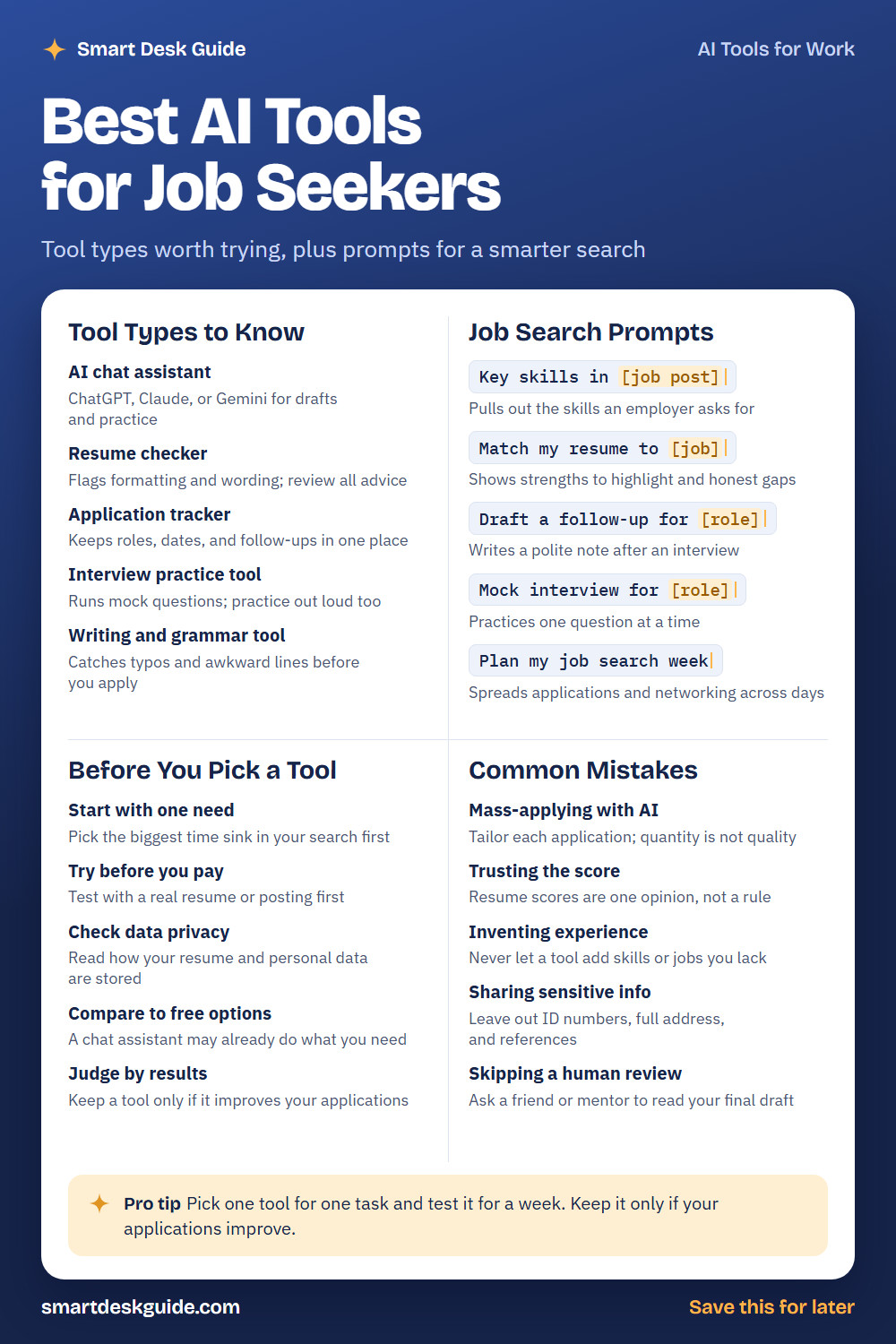
Save the cheat sheet below as a quick reference. Then read on for details and examples.
How to Use These Prompts
Words in [brackets] are blanks. Replace each one with your own details before you send the prompt.
Before: Key skills in [job post]
After: Key skills in this job post: Office coordinator needed to manage schedules, order supplies, and support a small team.
The more real detail you give about the job and your background, the better the result. The prompts work the same way in ChatGPT, Claude, and Gemini. Use only true experience, and leave out private details like your home address and ID numbers.
Tool Types to Know
AI chat assistant
A chat assistant such as ChatGPT, Claude, or Gemini is the easiest place to start. It can draft messages, explain terms, and run practice questions. Quick example: paste a job post and ask what skills it mentions.
Resume checker
These tools review your resume for formatting and wording. They can point out clutter or vague phrases. A score is only one opinion, so read the advice and keep what fits your real experience.
Application tracker
A tracker keeps roles, dates, contacts, and follow-ups in one place. Some include AI features, and a simple spreadsheet can do the same job. Quick fix: write the date you plan to follow up next to each application.
Interview practice tool
Practice tools ask mock questions and may give feedback on your answers. They are useful for building confidence. Practice out loud as well, since speaking is a skill of its own.
Writing and grammar tool
These tools catch typos, awkward sentences, and tone problems. They are helpful for cover letters and emails. Read the final version yourself, since a tool can miss a wrong company name or date.
Job Search Prompts
Key skills in [job post]
Job posts contain a lot of text. This prompt pulls out the skills an employer asks for. Compare the list with your background and note what you can honestly claim.
Example: Key skills in this job post: Office coordinator needed to manage schedules, order supplies, and support a small team. Experience with spreadsheets preferred.
Match my resume to [job]
This prompt compares your resume with a job and shows strengths to highlight and honest gaps. Use it to decide what to move up or explain. Do not add skills you do not have.
Example: Match my resume to an office coordinator job. Resume: three years as a front desk assistant at a dental office, scheduling and filing. List strengths and gaps.
Draft a follow-up for [role]
A short follow-up after an interview can keep you on the employer’s mind. Give the AI a detail from the conversation. Then edit the message so it sounds like you.
Example: Draft a follow-up for an office coordinator interview. I talked with Marcus about scheduling tools, and I want to thank him for his time.
Mock interview for [role]
Practice makes interviews less stressful. Ask for one question at a time and feedback on your answers. Use your own real examples in your replies.
Example: Mock interview for an office coordinator role. Ask one question at a time and give feedback after each answer.
Plan my job search week
A weekly plan keeps the search organized. Tell the AI how much time you have and your goals, such as applications, networking, and practice. Adjust the plan to your energy.
Example: Plan my job search week. I have 10 hours, want to send 5 tailored applications, reach out to 3 people, and practice interviews twice.
Before You Pick a Tool
Start with one need
You do not need five tools at once. Pick the part of your search that takes the most time, such as tailoring resumes. Try one tool for that need first.
Try before you pay
Test a tool with a real resume or job post before you pay for anything. See if it saves time and if the advice is useful. If it does not fit your routine, you have lost nothing.
Check data privacy
Your resume contains personal information. Read how the tool stores and uses it, and look for options to delete your data. If you cannot find clear answers, use a different tool or leave out private details.
Compare to free options
A chat assistant may already do what a paid tool offers. Try the same task there first. Pay only if a specialized tool clearly does more for you.
Judge by results
Keep a tool only if it improves your applications or saves real time. Note what changed, such as faster tailoring or better interview answers. If nothing improved, drop it.
Common Mistakes
Mass-applying with AI
Sending many generic applications rarely works well. Tailor each one to the job. Quick fix: send fewer applications and personalize the top part of each resume.
Trusting the score
A resume score is one tool’s opinion, not a rule. Use it as a hint and check the advice yourself. Ask a person you trust for their view too.
Inventing experience
Never let a tool add skills, jobs, or numbers you cannot back up. An interviewer may ask about them. Stick to what is true and be ready to explain it.
Sharing sensitive info
Leave out ID numbers, your full home address, and personal references from anything you paste into an AI tool. Use general terms and add details later in your own document.
Skipping a human review
AI can miss errors or odd phrasing. Ask a friend, mentor, or career advisor to read your final draft. A fresh pair of eyes catches what tools miss.
Pro Tip
Pick one tool for one task and test it for a week. Keep it only if your applications improve, and note what you changed so you can tell what helped.
Example: Here is my resume and a job post. Suggest three changes to match the job, and tell me which of my real experiences support each change.
FAQ
What is the best AI tool for a job search?
There is no single best one. Many people start with a chat assistant, since it helps with drafts, practice, and planning. Try a few tools with real tasks and keep the ones that save you time.
Is it okay to use AI for resumes and cover letters?
Many job seekers use AI for drafts. Make sure everything is true, rewrite it in your own voice, and read it closely before you send it. Follow any rules a specific employer gives.
Is my information safe in AI tools?
Be careful. Leave out ID numbers, your full address, and other private details, and check the privacy settings of any tool. Use general descriptions when you can.
Final Thoughts
The best tools make one part of your search easier without hiding the real you. Start with one need, test with real tasks, and keep what helps. Review every draft, and keep private information out of the chat.
If this guide helped, save the cheat sheet on Pinterest and bookmark this page for your next application.