Learning a language is hard to do alone. Textbooks and apps are useful, but they rarely let you have a real back-and-forth conversation at your own pace.
This guide shows you how to use ChatGPT to learn a language as a practice partner. You will get prompts to set your level, practice speaking, build vocabulary, and fix your grammar. It also covers the mistakes that slow learners down.
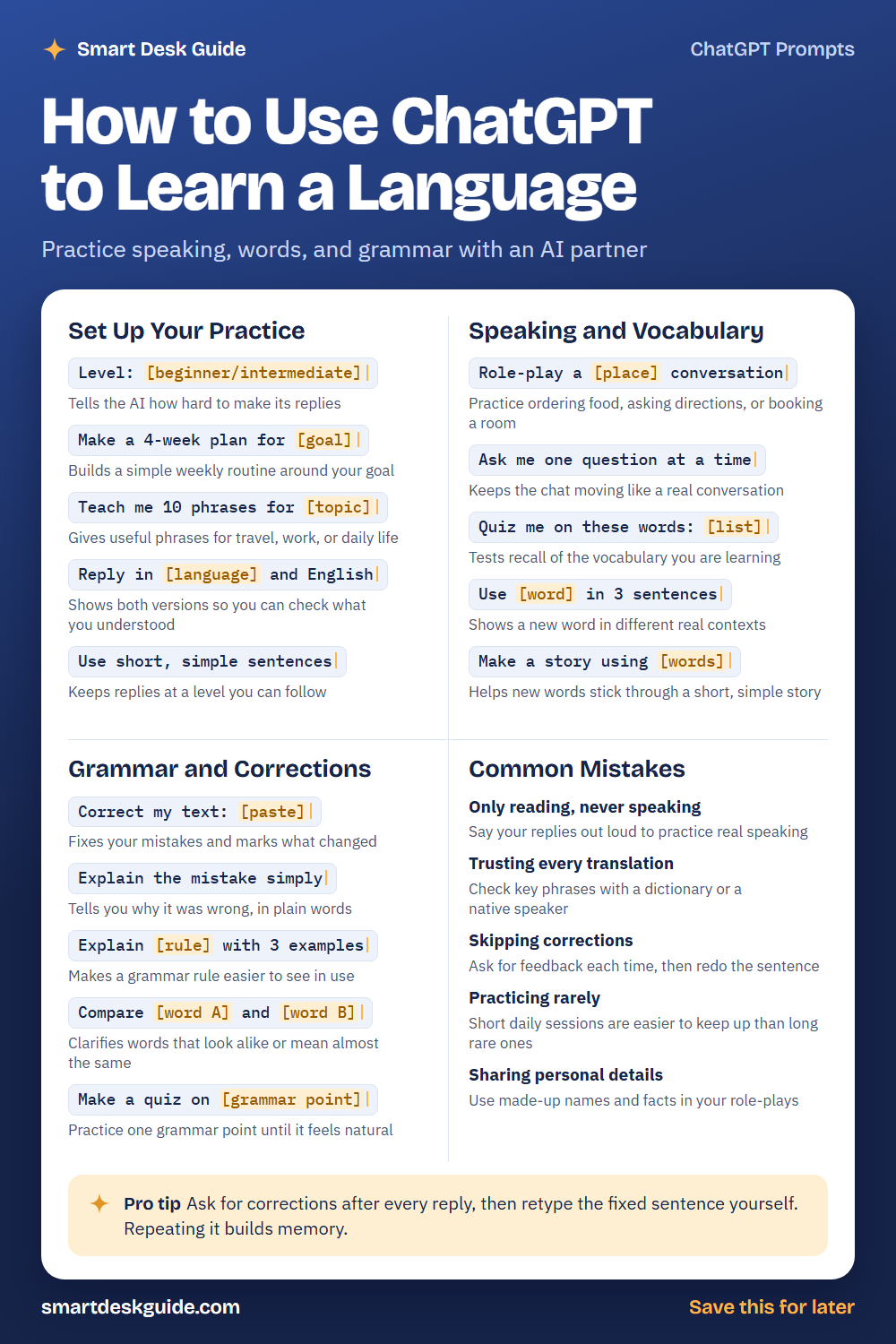
Save the cheat sheet below for quick reference. Then read on to see when to use each prompt and how it looks filled in.
How to Use These Prompts
Words in [brackets] are blanks. Replace each one with your own details before you send the prompt.
Before: Make a 4-week plan for [goal]
After: Make a 4-week plan for ordering food and asking directions in Spanish.
The more detail you give about your language, level, and goal, the better the answers. These prompts work the same way in ChatGPT, Claude, and Gemini.
Set Up Your Practice
Level: [beginner/intermediate]
Tell the AI your level first, or it may reply too fast or too hard. Pick one word that fits you and add the language. You can change the level later as you improve.
Example: Level: beginner. I am learning French, so keep your replies easy to follow.
Make a 4-week plan for [goal]
A plan turns a big goal into weekly steps. Give a clear goal and tell the AI how many minutes you can study each day. Adjust the plan if it feels too heavy.
Example: Make a 4-week plan for holding a simple conversation in Italian. I can study 20 minutes a day.
Teach me 10 phrases for [topic]
Phrases are often more useful than single words. Choose a topic you will really use, like travel, work, or shopping. Ask for a pronunciation note if you need one.
Example: Teach me 10 phrases for a hotel check-in in German, with English meanings.
Reply in [language] and English
Seeing both versions lets you check what you understood. You can cover the English and test yourself. Later, drop the English and see if you still follow.
Example: Reply in Portuguese and English. I want to practice talking about my weekend.
Use short, simple sentences
Long replies can bury the new words you are trying to learn. Short sentences keep the conversation at a level you can follow. Loosen the rule when you are ready for more.
Example: Use short, simple sentences. I am a beginner in Japanese.
Speaking and Vocabulary
Role-play a [place] conversation
Role-play lets you practice real situations, like ordering coffee or booking a room. Ask the AI to play the other person and stay in character. Use made-up details rather than personal ones.
Example: Role-play a cafe conversation. You are the barista, I am a customer, and we speak Spanish.
Ask me one question at a time
Many people freeze when the AI sends a long list of questions. One at a time feels like a real chat. It also gives you space to write a full answer before moving on.
Example: Ask me one question at a time about my daily routine, in simple French.
Quiz me on these words: [list]
Testing yourself helps new words stick. Paste the words you learned this week and ask for a quiz. Ask the AI to bring back the ones you miss later in the chat.
Example: Quiz me on these words: la maison, la cuisine, le jardin, la fenêtre. Bring back any I miss.
Use [word] in 3 sentences
One word can mean different things in different sentences. Seeing it three ways builds a better feel for how it works. Pick a word you often forget.
Example: Use "prendre" in 3 sentences at a beginner level, with English translations.
Make a story using [words]
A short story turns loose words into something memorable. Keep the story simple and ask for a translation below it. Reading it twice helps the words settle.
Example: Make a story using these Spanish words: perro, parque, lluvia, amigo. Keep it to six sentences.
Grammar and Corrections
Correct my text: [paste]
Write a few sentences on your own, then ask for corrections. The AI will fix mistakes and mark what changed. Try to rewrite the sentences yourself before you copy the fixed version.
Example: Correct my text and show what changed: Yo va al mercado ayer con mi hermana.
Explain the mistake simply
Knowing why something was wrong helps you avoid repeating it. Ask for a short explanation in plain words. If the reason is still unclear, ask for a second example.
Example: Explain the mistake simply. Why is "ayer voy" wrong in Spanish?
Explain [rule] with 3 examples
Grammar rules make more sense when you see them in use. Ask for three examples with English translations. Then write one of your own and ask for feedback.
Example: Explain the past tense in French with 3 examples and English translations.
Compare [word A] and [word B]
Some words look alike or mean almost the same thing. A comparison shows when to use each one. Ask for a short example sentence for both.
Example: Compare "ser" and "estar" in Spanish, with two example sentences each.
Make a quiz on [grammar point]
Focused practice works better than general review. Choose one grammar point and ask for ten short questions. Stop and review the rule if you miss more than a few.
Example: Make a quiz on the past tense in German with 8 fill-in-the-blank questions.
Common Mistakes
Only reading, never speaking
Typing is helpful, but speaking is its own skill. Say your replies out loud as you write them. Quick fix: read every answer aloud twice before you move on.
Trusting every translation
AI can make errors, especially with slang, tone, or rare words. Check important phrases with a dictionary or a native speaker. Trust a reliable source over a single AI answer.
Skipping corrections
If you never ask for feedback, mistakes become habits. Ask for corrections after each reply. Then retype the fixed sentence yourself.
Practicing rarely
Short daily sessions are easier to keep up than long, rare ones. Set a small goal, like ten minutes with one topic. A simple routine matters more than a perfect one.
Sharing personal details
You do not need to share real names, addresses, or workplaces to practice. Make up a character for role-plays. This keeps your private information out of the chat.
Pro Tip
Ask for corrections after every reply, then retype the fixed sentence yourself. Repeating it from memory builds the pattern better than just reading it.
Example: After each of my replies, correct my mistakes, explain them in one line, and ask me to rewrite the sentence.
FAQ
Can ChatGPT really help me learn a language?
It can help you practice. It works well for conversation, vocabulary quizzes, and grammar explanations. It is not a full course, so pair it with other resources and check key facts.
Is it accurate enough for beginners?
It is often good with common words and simple grammar, but it can make mistakes. Confirm important phrases with a dictionary or a teacher. Treat it as practice, not as the final word.
How much should I practice each day?
There is no single right answer. Many learners find short, regular sessions easier to keep than long ones. Pick an amount you can repeat, and build from there.
Final Thoughts
An AI partner can make practice easier and less lonely. Set your level, talk often, and ask for corrections. Double-check important phrases, and keep private information out of your chats.
If this guide helped, save the cheat sheet on Pinterest and bookmark this page for your next practice session.