Making a podcast is more than hitting record. Before the episode there are topics to pick, outlines to write, and guests to invite. After it there are notes, descriptions, and social posts to create.
This guide gives you ChatGPT prompts for podcasts that help with both sides. You will get prompts to plan episodes, prepare for guests and interviews, handle the work after recording, and avoid mistakes like skipping guest consent or trusting unchecked facts. The AI helps with prep, and you still host the show in your own voice.
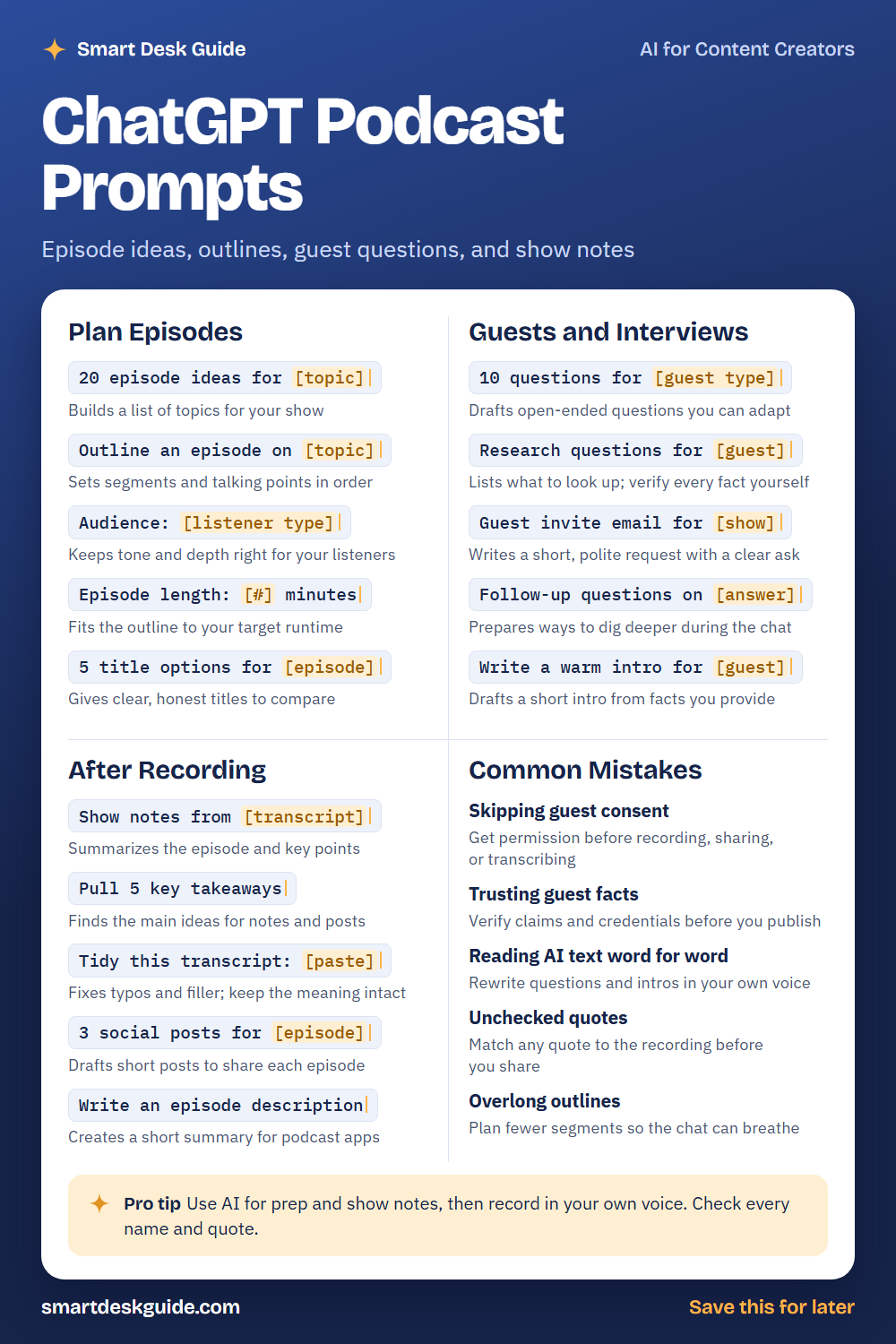
Use the cheat sheet below as a quick reference. Then read on to see when to use each prompt and how it looks filled in.
How to Use These Prompts
Words in [brackets] are blanks. Replace each one with your own details before you send the prompt.
Before: 20 episode ideas for [topic]
After: 20 episode ideas for a podcast about home gardening for beginners.
The more you say about your show, your listeners, and your format, the better the ideas. These prompts work the same way in ChatGPT, Claude, and Gemini. Treat every result as a draft, and check names, facts, and quotes before you publish.
Plan Episodes
20 episode ideas for [topic]
A long list helps when you are out of ideas. Ask for episodes based on questions your listeners might have. Then choose the ones you can talk about with real knowledge.
Example: 20 episode ideas for a podcast about home gardening for beginners, grouped by season.
Outline an episode on [topic]
An outline keeps a conversation on track without scripting every word. Ask for an intro, a few segments, and a closing. Rearrange or cut anything that does not fit your style.
Example: Outline an episode on starting a vegetable garden on a small balcony, with an intro, three segments, and a closing.
Audience: [listener type]
Tell the AI who listens so the language and depth match. A show for new gardeners needs different explanations than one for experts. Add this line to nearly any planning prompt.
Example: Audience: adults new to gardening who have only a balcony and about an hour a week to spare.
Episode length: [#] minutes
Length changes how many topics fit. Give the AI your target runtime and ask it to plan around it. After recording, compare the plan with your actual time and adjust.
Example: Episode length: 25 minutes. Plan the segments and note roughly how long each one should take.
5 title options for [episode]
A good title is clear and honest. Ask for several options and pick the one that fits what the episode really covers. Avoid titles that promise more than the episode delivers.
Example: 5 title options for an episode about growing herbs on a kitchen windowsill.
Guests and Interviews
10 questions for [guest type]
Open-ended questions invite stories instead of one-word answers. Ask for questions that suit the type of guest, then adapt them to the person. Add your own questions that come from real curiosity.
Example: 10 questions for a community garden organizer, focused on how she got started and what beginners should know.
Research questions for [guest]
This prompt lists what to learn about a guest before the interview. The AI can suggest topics, but it should not be your source of facts. Look up each detail in reliable sources and in the guest’s own materials.
Example: Research questions for a guest who runs a neighborhood seed library. List what I should look up before the interview.
Guest invite email for [show]
A short, polite invite is more likely to get a reply. Give the AI details about your show, why you want this guest, and what you are asking. Edit it so the message sounds like you.
Example: Guest invite email for my home gardening podcast, inviting a local seed library organizer for a 30-minute chat.
Follow-up questions on [answer]
The best moments often come from a follow-up. Paste a short answer and ask for questions that dig deeper. Use them as backups and listen for your own.
Example: Follow-up questions on this answer: "I started the garden because our block had an empty lot nobody used."
Write a warm intro for [guest]
An intro helps listeners understand why the guest matters. Give the AI facts the guest has shared, and ask for a short, friendly introduction. Check every detail with the guest.
Example: Write a warm intro for Priya, who organizes a community garden and teaches a weekend class for beginners. Keep it under 60 words.
After Recording
Show notes from [transcript]
Show notes help listeners find what they need. Paste your own transcript and ask for a summary and key points. Read the result against the recording to make sure it is accurate.
Example: Show notes from this transcript summary: We discussed starting seeds indoors, choosing containers, and watering schedules for balcony gardens.
Pull 5 key takeaways
Takeaways give listeners a quick view of what they will learn. Ask the AI to pick the main ideas from your transcript. Cut any that were not actually said.
Example: Pull 5 key takeaways from this episode summary about balcony gardening, using only what is written.
Tidy this transcript: [paste]
Raw transcripts contain typos and filler words. This prompt cleans them up without changing the meaning. Compare a few passages with the audio, since transcripts can still contain errors.
Example: Tidy this transcript and keep the meaning: "So, um, you know, the main thing is, like, start small and, uh, water in the morning."
3 social posts for [episode]
Short posts help people find each episode. Ask for a few options with different angles. Add a real quote or detail so the posts do not sound generic.
Example: 3 social posts for an episode about growing herbs on a windowsill, each under 40 words.
Write an episode description
A description appears in podcast apps and helps listeners decide to press play. Give the AI your show notes and ask for a short summary. Edit it for accuracy and tone.
Example: Write an episode description for a 25-minute episode about starting a balcony garden. Keep it under 80 words.
Common Mistakes
Skipping guest consent
Get permission before you record, share, or transcribe a conversation. Rules differ by place, so check the ones that apply to you. Quick fix: ask for consent in writing before the interview.
Trusting guest facts
A guest may state facts that are not accurate, and AI may repeat them. Verify claims and credentials before you publish. If you cannot confirm something, say so or leave it out.
Reading AI text word for word
Questions and intros written by AI can sound stiff when read aloud. Rewrite them in your own voice. Read each one aloud once to catch awkward lines.
Unchecked quotes
A quote in your show notes should match what was said. Check each one against the recording before you share it. A wrong quote can hurt trust with your guest and your listeners.
Overlong outlines
A packed outline leaves no room for the conversation to breathe. Plan fewer segments than you think you need. The best parts of an episode are often unplanned.
Pro Tip
Use AI for prep and show notes, then record in your own voice. Check every name and quote, and keep your own curiosity in the interview.
Example: Here are my notes for tomorrow's interview. Suggest three questions I might be missing, and mark any that assume facts I should verify first.
FAQ
Can ChatGPT help me start a podcast?
It can help you brainstorm topics, outline episodes, and draft show notes. You still need to record, edit, and check facts. The voice and judgment have to be yours.
Can I paste a transcript into ChatGPT?
You can, but be careful. Get your guest’s consent, and avoid pasting private or confidential information. Check the privacy settings of any tool you use.
How do I keep AI-written questions from sounding stiff?
Rewrite them in the way you would ask a friend. Shorten them, add your own wording, and read them aloud. Keep the ones that feel natural.
Final Thoughts
AI can take the heavy lifting out of planning and post-production, but listeners come for your voice and your guests. Use these prompts to prepare and organize. Check every fact and quote, get consent from guests, and keep private information out of the chat.
If this guide helped, save the cheat sheet on Pinterest and bookmark this page for your next episode.