Review season is stressful for almost everyone. Employees struggle to describe their own work, and managers struggle to give feedback that is specific, fair, and kind.
This guide gives you ChatGPT prompts for performance reviews that help with the writing. You will get prompts for self reviews, manager feedback, and hard conversations, plus the mistakes to avoid. AI can help you organize and phrase your thoughts, but people make the judgments and follow the company’s process.
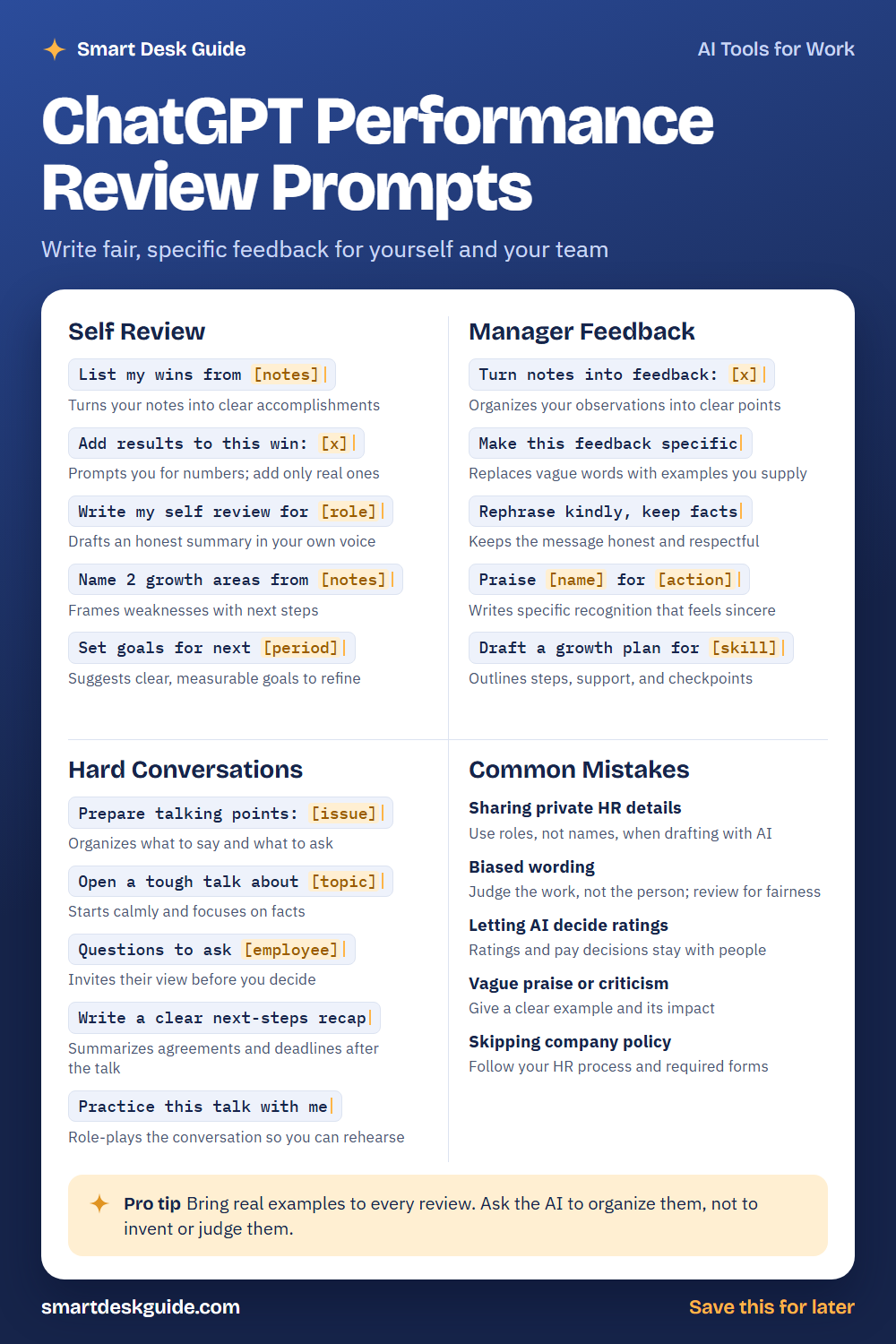
Use the cheat sheet below as a quick reference. Then read on to see when to use each prompt and how it looks filled in.
How to Use These Prompts
Words in [brackets] are blanks. Replace each one with your own details before you send the prompt.
Before: List my wins from [notes]
After: List my wins from these notes: Trained two new hires. Cut average reply time on support tickets. Updated the team help guide.
Use real examples and facts, not guesses. These prompts work the same way in ChatGPT, Claude, and Gemini. Use roles instead of names when you can, keep private HR details out of the chat, and follow your company’s review process and forms.
Self Review
List my wins from [notes]
Many people forget their best work by review time. Paste your notes from the year and ask for a clear list of accomplishments. Add any wins the notes missed.
Example: List my wins from these notes: Trained two new hires. Cut average reply time on support tickets. Updated the team help guide.
Add results to this win: [x]
A win is stronger when it shows an outcome. This prompt asks questions about the result. Add only numbers you can support, and leave out anything you cannot.
Example: Add results to this win: I updated the team help guide. Ask me questions about the outcome, and do not make up numbers.
Write my self review for [role]
Give the AI your wins, your role, and your goals, and ask for a first draft in your voice. Edit it so it is honest and specific. A self review should sound like you, not like a template.
Example: Write my self review for a customer support specialist using these wins and a friendly, honest tone. Keep it under 250 words.
Name 2 growth areas from [notes]
Good self reviews are honest about growth. This prompt helps you frame a weakness with a next step. Choose areas that are real and that you want to improve.
Example: Name 2 growth areas from these notes: I sometimes take on too much, and I avoid giving feedback to peers. Add one next step for each.
Set goals for next [period]
Clear goals make the next review easier. Ask for goals that are specific and measurable, then edit them with your manager. Drop any that do not fit your role.
Example: Set goals for next quarter for a customer support specialist who wants to move toward training new staff.
Manager Feedback
Turn notes into feedback: [x]
Managers often keep scattered notes. This prompt organizes them into clear points. Check that each point is based on something you actually observed.
Example: Turn notes into feedback: Marcus handled three difficult tickets calmly. He is late with weekly updates. He helped a new hire learn the system.
Make this feedback specific
Vague feedback like “good job” is hard to act on. This prompt asks for an example and its impact. Supply the example yourself so the AI does not invent one.
Example: Make this feedback specific: Priya communicates well. Use this example: she wrote a clear summary for a client during a delay.
Rephrase kindly, keep facts
Honest feedback can still be kind. This prompt softens the tone without changing the facts. Read the result to be sure the main message is still clear.
Example: Rephrase kindly, keep facts: Your reports have too many errors and I'm tired of fixing them.
Praise [name] for [action]
Specific recognition feels sincere. Name the action and its effect on the team. Keep it short and genuine.
Example: Praise Priya for staying late to help the team finish a client project, and mention how it helped the team meet the deadline.
Draft a growth plan for [skill]
A growth plan shows support, not just criticism. Ask for steps, resources, and checkpoints. Agree on the plan with the employee.
Example: Draft a growth plan for presentation skills for a team member who is nervous about speaking in meetings, with steps over three months.
Hard Conversations
Prepare talking points: [issue]
A hard conversation goes better when you have thought it through. Describe the issue with facts only. The AI can organize what to say and what to ask.
Example: Prepare talking points: an employee has missed three deadlines this month. Focus on facts and on understanding what is getting in the way.
Open a tough talk about [topic]
How you begin sets the tone. Ask for an opening that is calm, direct, and focused on the facts. Adjust it so it sounds like you.
Example: Open a tough talk about repeated late reports, in a calm and respectful tone.
Questions to ask [employee]
Questions invite the employee’s view before you decide anything. Ask for open questions that help you understand. Listen to the answers.
Example: Questions to ask a team member who has missed deadlines, to understand what support they need.
Write a clear next-steps recap
After the talk, write down what you agreed. A short recap prevents confusion later. Include actions, owners, and dates you both agreed to.
Example: Write a clear next-steps recap: we agreed to weekly check-ins, to share a priority list on Mondays, and to review progress in four weeks.
Practice this talk with me
Rehearsing helps you stay calm. Ask the AI to play the employee and respond. Use it for practice only, since real people react in their own ways.
Example: Practice this talk with me. You play an employee who is worried about their performance, and I will start the conversation.
Common Mistakes
Sharing private HR details
Reviews contain sensitive information. Use roles like Employee A instead of names, and leave out health, family, and other private details. Check your company’s rules on AI tools.
Biased wording
Words can carry hidden bias. Judge the work and its impact, not the person. Quick fix: ask the AI to point out wording that describes personality instead of behavior, then decide yourself.
Letting AI decide ratings
Ratings, pay, and promotion decisions belong to people and your company’s process. Use AI to organize evidence and word feedback, not to make the call.
Vague praise or criticism
“Needs improvement” does not help anyone. Give a clear example and its impact. Say what a good result would look like.
Skipping company policy
Most companies have required forms, steps, and timelines. Follow them. If you are unsure whether AI is allowed in your review process, ask HR.
Pro Tip
Bring real examples to every review. Ask the AI to organize them, not to invent or judge them, and you will get feedback that is accurate and specific.
Example: Here are four real examples from this quarter. Group them into strengths and areas to grow, and do not add anything that is not in my notes.
FAQ
Can ChatGPT write a performance review?
It can help you draft one from your notes and examples. You should supply real facts, check every statement, and edit for tone. Decisions about ratings and pay should be made by people following company policy.
Is it okay to put employee information into AI?
Be careful. Reviews include sensitive information. Use roles instead of names, leave out private details, and check your company’s rules on AI tools.
How do I give feedback that is fair?
Focus on specific behavior and its impact, use examples, and apply the same standards to everyone. Review your wording for bias before you share it.
Final Thoughts
AI can make review writing less stressful, but it cannot replace fairness, judgment, and good conversations. Use these prompts to organize your thinking and phrase feedback clearly. Follow your company process, and keep private information out of the chat.
If this guide helped, save the cheat sheet on Pinterest and bookmark this page for your next review cycle.